Epson Scan 2 Maintenance Utility
Applies To
Description
The Epson Scan 2 Maintenance Utility is a separate tool from the main Epson Scan 2 program, used for troubleshooting — resetting the software to its defaults, collecting diagnostic logs, and adjusting USB compatibility mode.
Solution
Locating the Utility
The Maintenance Utility is installed alongside Epson Scan 2, in one of the following folders:
- 64-bit Windows:
C:\Program Files (x86)\epson\Epson Scan 2\Utility - 32-bit Windows:
C:\Program Files\epson\Epson Scan 2\Utility
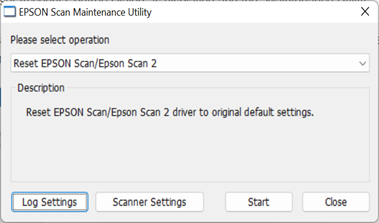
From the main screen, select Reset EPSON Scan/Epson Scan 2 to revert the software to its original default settings.
Log Settings
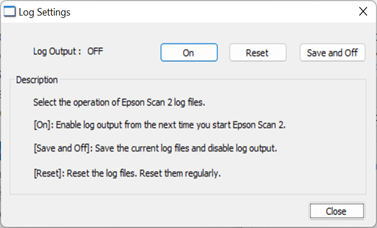
Turns on logging from the next time Epson Scan 2 starts — useful when troubleshooting with Epson support. Options:
- Save and Off: stops logging and prompts you to save the log files to a location of your choice.
- Reset: clears existing log data, so only the most recent activity is captured going forward.
Scanner Setting (USB Compatibility)
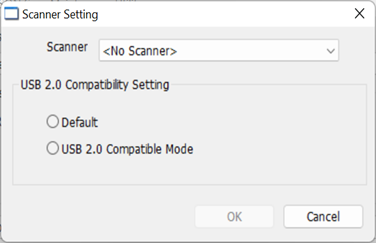
Lets Epson Scan 2 run in compatibility mode for USB 2.0 connections. Select your product from the Scanner drop-down, then choose the required USB 2.0 compatibility setting.